

Payment Guide

Does Strong 8K IPTV Use Invoices? Payment Methods and Subscription Process Explained

When choosing an IPTV subscription, customers often want to know how payments work, whether they can receive an invoice, and how they will get their subscription after making a payment. If you are considering Strong 8K IPTV, you may have similar questions.

Some IPTV providers use automated checkout systems where customers select a plan, enter their payment details, and complete an order directly on the website. However, Strong 8K follows a more personalized payment process. Customers contact the support team through WhatsApp to discuss subscription plans, request payment details, and complete their orders.

Strong 8K IPTV invoices and payment methods guide thumbnail

Does Strong 8K IPTV Use Invoices?

Yes, Strong 8K IPTV provides Stripe invoices upon request. However, invoices are not automatically generated through an online checkout form because Strong8K does not use an automated payment system on its website.

Customers who prefer to pay through Stripe can request an invoice by providing their full name and email address. The invoice is then sent directly to their email. Alternatively, customers can request a secure Stripe payment link to complete their payment.

Strong8K also supports other payment options, including Google Pay, Apple Pay, credit and debit cards, bank transfers, PayPal, cryptocurrency, USDT, and Remitly, depending on the customer's location and available options.

Customer questionAnswer
Does Strong 8K provide invoices?Yes, through Stripe upon request
Are invoices generated automatically?No
Can I receive an invoice by email?Yes
Can I request a Stripe payment link?Yes
Do I need to contact support?Yes, through WhatsApp
Can I pay using other methods?Yes, subject to availability
When is my subscription activated?After payment verification

This approach allows customers to ask questions, test the service, select a suitable subscription, and choose their preferred payment method before completing an order.

How Does the Strong8K Payment Process Work?

The Strong8K payment process is simple. Instead of completing an automated checkout, customers communicate directly with the support team through WhatsApp.

Here is how the complete process works.

1

Contact Strong8K Through WhatsApp

The first step is to contact the Strong8K support team through WhatsApp.

If you are interested in a subscription, you can ask about available plans, prices, subscription durations, supported devices, and payment methods.

The support team will guide you through the available options and help you understand the process before making a purchase.

2

Try the Free Trial Before Purchasing

You do not have to purchase a subscription without testing the service first.

Strong8K offers a free-trial option so prospective customers can explore the service before choosing a paid plan.

During the trial, you can:

  • Check the available channels.
  • Explore the content library.
  • Test playback on your compatible device.
  • Check picture quality and streaming performance.
  • Understand the available features.

Testing the service on your usual device and internet connection can help you decide whether it meets your expectations.

3

Choose Your Subscription Plan

After testing the free trial, you can select the subscription that suits your viewing requirements and budget.

If you are unsure which plan to choose, contact the support team for guidance. You can ask about subscription duration, available connections, compatibility, and other relevant details.

Once you have selected your preferred plan, the team will explain the available payment methods.

4

Select Your Preferred Payment Method

Strong8K offers different payment options to make the process convenient for customers in different countries.

Depending on your location and payment availability, you may be able to use:

Payment methodHow it works
Google PayPay using an eligible Google Pay payment method
Apple PayComplete payment through a supported Apple device or browser
Credit cardsPay using an eligible credit card
Debit cardsUse a supported debit card
Stripe InvoiceRequest an invoice delivered to your email
Stripe Payment LinkOpen a secure payment link and complete the transaction
Bank TransferFollow the bank transfer instructions provided by support
PayPalPay through PayPal where available
CryptocurrencyUse an accepted cryptocurrency payment option
USDTComplete payment using the provided USDT instructions
RemitlyFollow the applicable international transfer instructions

Not every payment method will be available in every country. Contact the team to confirm which options you can use before making a payment.

5

Request a Stripe Invoice or Secure Payment Link

If you prefer to pay through Stripe, you can request an invoice or a payment link.

Option A: Request a Stripe invoice

If you need an invoice for your records, follow these steps:

  1. Contact Strong8K through WhatsApp.
  2. Tell the support team that you want to pay through a Stripe invoice.
  3. Provide your full name and email address.
  4. The team will prepare the invoice.
  5. Check your email for the invoice.
  6. Open it and follow the payment instructions.

Your Stripe invoice is delivered directly to your email address. You can review the payment details before completing the transaction.

Option B: Request a Stripe payment link

If you prefer a simpler payment process, you can request a Stripe payment link instead.

The support team will share the link with you. Open it and follow the payment instructions to complete your transaction using an eligible credit or debit card, Apple Pay, Google Pay, or another supported payment option.

Both options allow customers to complete their payments without using an automated checkout form on the Strong8K website.

6

Share Your Payment Confirmation

After completing your payment, share a screenshot of the payment confirmation with the support team through WhatsApp.

This helps the team identify and verify your transaction before activating your subscription.

If you paid through a Stripe invoice or payment link, keep your payment confirmation email for your records as well.

7

Get Your Subscription Activated

Once the payment has been verified, the support team will activate your selected subscription.

You will then receive the necessary subscription details and setup instructions to connect the service to your compatible device.

Follow the provided instructions to complete the setup and start using your subscription.

8

Contact Support Whenever You Need Assistance

The support process does not end after payment.

If you have questions about subscription activation, payment confirmation, installation, or other service-related matters, you can contact the team through WhatsApp or the official email address listed on the website (support@strong8k.com).

This gives customers a direct way to ask for assistance instead of relying entirely on automated responses.

Stripe Invoice vs Stripe Payment Link: What Is the Difference?

Customers sometimes confuse a Stripe invoice with a Stripe payment link. Both can be used to complete a payment, but they serve slightly different purposes.

FeatureStripe InvoiceStripe Payment Link
How you receive itSent to your emailShared through a link
Personal detailsFull name and email requestedFollow the details requested on the payment page
Payment processOpen the invoice and follow its payment instructionsOpen the link and complete payment
Payment methodsDepends on the invoice configurationDepends on the payment link configuration
Best suited forCustomers who want an emailed invoiceCustomers who prefer a direct payment link

Which option should you choose?

  • •Choose a Stripe invoice if you want a payment document delivered to your email address and prefer to keep it for your records.
  • •Choose a Stripe payment link if you simply want to open a link and complete your payment using an eligible payment method.

Both options are available upon request through the Strong8K support team.

Why Does Strong8K Use a WhatsApp-Based Payment Process?

Not every business uses an automated payment form. Strong8K follows a direct communication approach that allows customers to discuss their requirements before purchasing.

There are several practical benefits to this process:

Personal assistance

Customers can ask questions about subscription plans, devices, and payment methods before making a decision.

Free trial before purchase

Customers can test the service before committing to a paid subscription.

Flexible payment options

Customers can discuss different payment methods based on their location and preferences.

Invoice on request

Customers who prefer Stripe invoicing can request an invoice through the support team.

Payment verification

The team can verify the transaction before activating the selected subscription.

Direct support

Customers have a clear communication channel for payment and setup questions.

The aim is to make the process straightforward while allowing customers to receive assistance at each stage.

Is It Safe to Pay for a Strong 8K IPTV Subscription?

Before making any online payment, it is sensible to understand how the transaction works.

If you choose Stripe, make sure you receive your invoice or payment link through the official communication channel and check the payment details before proceeding.

Here are some useful precautions:

  • Check that the invoice contains the correct subscription amount.
  • Verify the payment recipient and business details.
  • Make sure you are using the payment link provided by the official support team.
  • Do not share your card PIN, password, or one-time verification codes with anyone.
  • Keep your payment confirmation email.
  • Share only the payment confirmation details needed for transaction verification.
  • For bank transfers, PayPal, cryptocurrency, USDT, or Remitly, request the correct payment instructions directly from support and verify the recipient before sending money.

For bank transfers, PayPal, cryptocurrency, USDT, or Remitly, request the correct payment instructions directly from support and verify the recipient before sending money.

A little care before completing a transaction can help prevent payment mistakes.

Strong8K Payment Process at a Glance

Here is the complete process from your first enquiry to subscription activation:

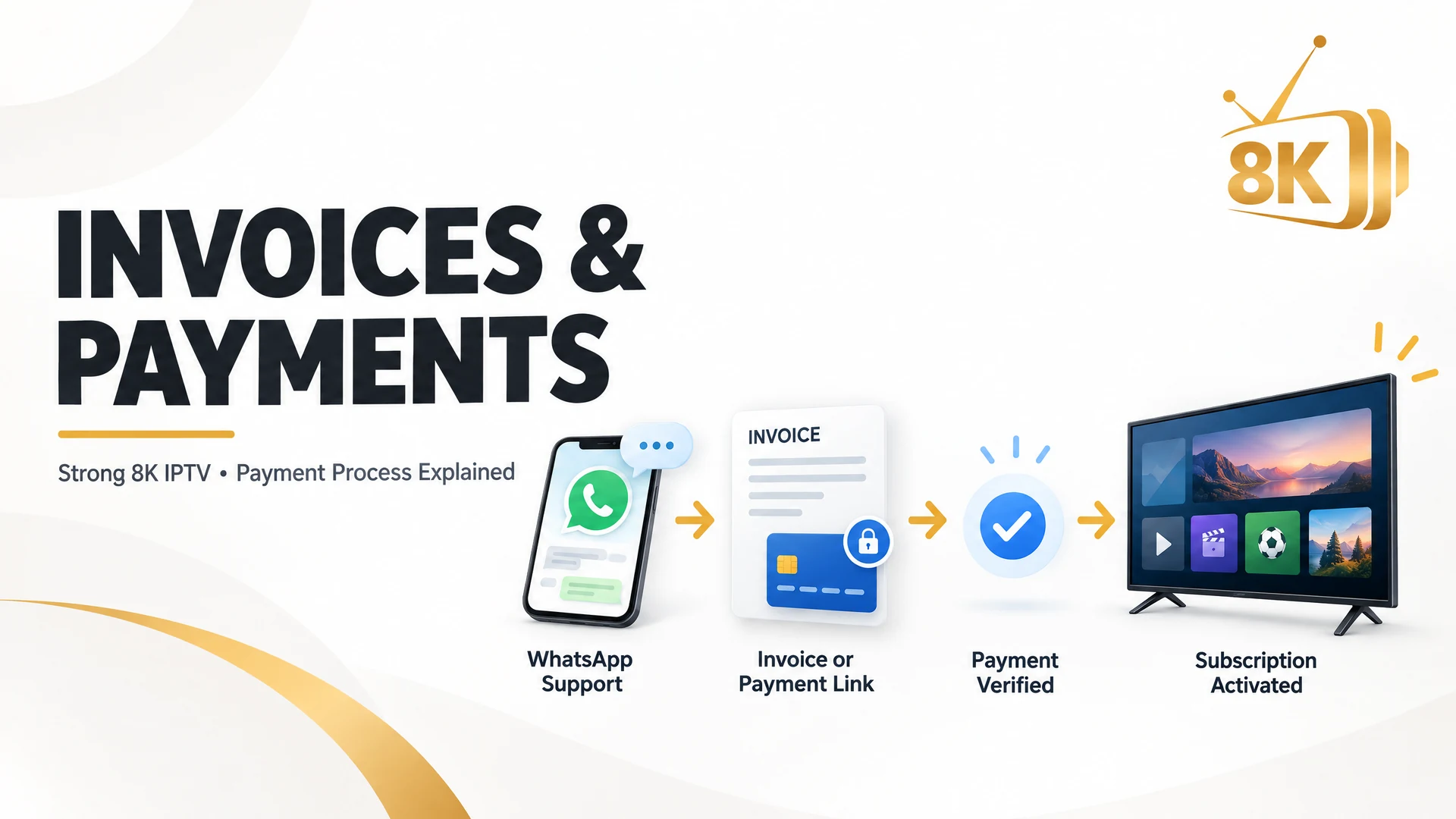
Contact Us on WhatsApp→Try the Free Trial→Choose a Subscription Plan→Select a Payment Method→Request an Invoice or Payment Link if Needed→Complete Payment→Share Payment Confirmation→Get Your Subscription Activated

You do not need to navigate an automated checkout system. The support team guides you through the process and helps you complete your subscription.

Frequently Asked Questions About Strong8K Invoices and Payments

1. Does Strong 8K IPTV use invoices?

Yes. Strong 8K IPTV provides Stripe invoices upon request. Customers need to contact the support team through WhatsApp and provide their full name and email address to receive an invoice.

2. Does Strong8K automatically generate invoices after payment?

No. Strong8K does not use an automated checkout or payment form on its website. Customers contact the team directly, and those who prefer Stripe invoicing can request an invoice before completing their payment.

3. How can I get an invoice from Strong 8K IPTV?

Contact the Strong8K team through WhatsApp and request a Stripe invoice. Provide your full name and email address. The invoice will be sent to your email so you can review the details and complete the payment.

4. Can I pay for Strong8K IPTV without an invoice?

Yes. If you do not need an invoice, you can ask the support team about the other available payment methods. Depending on your location, options may include Google Pay, Apple Pay, credit and debit cards, bank transfer, PayPal, cryptocurrency, USDT, and Remitly.

5. Does Strong 8K IPTV provide Stripe payment links?

Yes. Customers can request a Stripe payment link instead of an emailed invoice. The team shares the link, allowing customers to open the payment page and complete their transaction using an eligible supported payment method.

6. What information do I need to request a Stripe invoice?

You need to provide your full name and email address. The support team uses these details to prepare and send your Stripe invoice.

7. Can I pay using Google Pay or Apple Pay?

Yes, these payment options may be available depending on your location and payment setup. Contact the support team to confirm availability and receive the appropriate payment instructions.

8. Can international customers pay for Strong8K IPTV?

Yes. Strong8K offers several payment options for customers in different countries. Available methods may include card payments, Stripe, PayPal, bank transfers, cryptocurrency, USDT, and Remitly. Contact support to check which option works in your country.

9. Do I need to pay before trying Strong8K IPTV?

No. You can request a free trial before purchasing a paid subscription. This allows you to test the service and check whether it meets your requirements.

10. What happens after I complete my payment?

After completing your payment, share a screenshot of the payment confirmation through WhatsApp. The support team will verify the transaction and activate your selected subscription.

11. How long does Strong8K take to activate a subscription?

Activation takes place after the payment has been verified. For the expected activation time, contact the support team when placing your order.

12. Can I contact Strong8K if I have a payment problem?

Yes. You can contact the support team through WhatsApp or the official email address listed on the website. Share the relevant payment information so the team can help you check the issue.

Ready to Get Started With Strong 8K IPTV?

Getting a subscription does not have to be complicated. Whether you want to receive a Stripe invoice, use a secure payment link, or choose another available payment method, Strong8K provides direct assistance throughout the process.

You can first request a free trial, explore the service, and choose a subscription that suits your requirements. Once you are ready, contact the team through WhatsApp to receive payment instructions and complete your order.

Have a question about invoices or payment options? Contact the Strong8K team and get guidance before purchasing your subscription.